Wake Cup
How I built a smarter way to discover coffee shops that actually support productivity
ROLE
UX UI Designer Wireframing Prototyping Usability Testing
TOOLS
Figma Optimal Workshop Maze
TIMELINE
80 Hours


01 - PROBLEM
Finding a productive café is harder than it should be
Working remotely from cafés twice a week started as a joy - until it became a hunt. Too many shops have insufficient seating, few outlets, or unreliable wifi. The information that would help isnt surfaced anywhere.
02 - SOLUTION
Filter by what actually matters for focus
Wake Cup lets users filters coffee shops by specific amenities - wifi reliability, noise level, outlets, seating - so you arrive somewhere that actually works, rather than finding out when it's too late.
03 - BACKGROUND & CONTEXT
Remote work is reshaping where people need to be productive
12.7%
of full-time employees now work entirely from home
28%
have shifted to a hybrid work model
32.6M
Americans projected to work remotely by 2025 (~22% of workforce)
04 - RESEARCH
Research objectives
Before designing anything, I needed to validate whether others shared my frustrations and understand what they valued most.
01
Determine how well people accomplish their goals when visiting a café - ex: studying without distractions
02
Identify the relative importance of ambiance versus coffee quality for different user types
03
Understand the breakdown of visit purposes - working, studying, socializing, relaxing
05 - COMPETITIVE ANALYSIS
What exists - and where it falls short
I analyzed three competitors to identify gaps in how they serve remote workers looking for productive spaces.

STRENGTHS ACROSS COMPETITORS
-
Filters for user-relevant features (ex: pets allowed)
-
User-submitted ratings and reviews
-
Amenity listings like noise level
-
Community Q&A on café pages
-
Photo categories: food, inside, outside, menu
KEY GAPS IDENTIFIED
-
Newer cafés lack features and reviews - users usually skip them
-
Can't filter by amentiies from the home/search page
-
Franchise locations clutter local search results
-
Doesn't list all nearby cafés - requires direct search
OPPORTUNITIES
No existing tool lets users filter by productivity-specific amenities (wifi reliability, outlets, noise level) directly from a discovery/search view
06 - USER INTERVIEWS
Users need confidence their space will support productivity
Five semi-structured interviews were conducted via phone and in-person with participants who regularly work or study in cafés.
4/5
participants rely on Yelp or social media when searching for café to work or study in
5/5
participants have been frustrated with the cafés lack of amenities
5/5
participants have experienced a mismatch between online expectations and reality
07 - DEFINE
POV & HMW
POV 01 - PRODUCTIVITY SEEKER
As someone looking for a quiet place to be productive, I want to see amenities like stable wifi, noise level, and seating upfront, so I don't travel somewhere only to find it loud and full.
How might we prioritize amenities so users can find the right coffee shop for their work needs?
USER PERSONAS

08 - USER FLOWS
How users discover, evaluate, and choose cafés for productivity
These flows illustrate how user move through café discovery and selection, highlighting opportunities to reduce friction and improve decision making.


09 - MID FIDELITY WIREFRAMES
Mapping the structure before the visuals
Before any visual design, I built mid fidelity wireframes across six core screens to define the information architecture and establish how users would move through the app.


10 - HIGH FIDELITY V1 WIREFRAMES
Bringing the design to life - first attempt
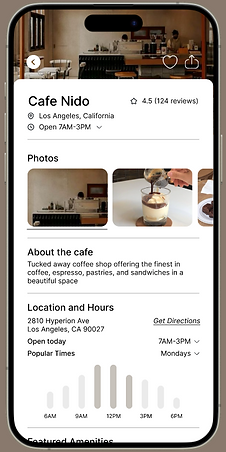
With the structure in place, I applied visual design across all six screens. This version leaned into a warm, brand-led palette to give the app a distinct coffee shop personality.


11 - USABILITY TESTING
What I learned from 5 participants
I ran usability tests with 5 participants across two flows: finding a café by amenitity filters, and leaving a review. The results were mostly positive - with one clear gap that needed to be addressed.
100%
Task completion rate across both primary flows
4.6/5
Average navigation rating across all participants
100%
Struggled to find "Leave a Review"
The high completion rate and navigation score confirmed the core flow was working - users could find cafés and filter by amenities without friction. However, the review finding was consistent enough across all participants that couldn't be ignored.
12 - REFLECTION
Stepping back and leveling up
After testing, I returned to V1 with fresh eyes and stronger design skills. Beyond fixing the review button, I saw several opportunities to improve the overall experience.
COLOR PALETTE
The green and white system felt light and fresh, but lacked the sophistication and warmth I wanted. I shifted toward a neutral, charcoal-led palette for V2.
FILTER INTERACTION
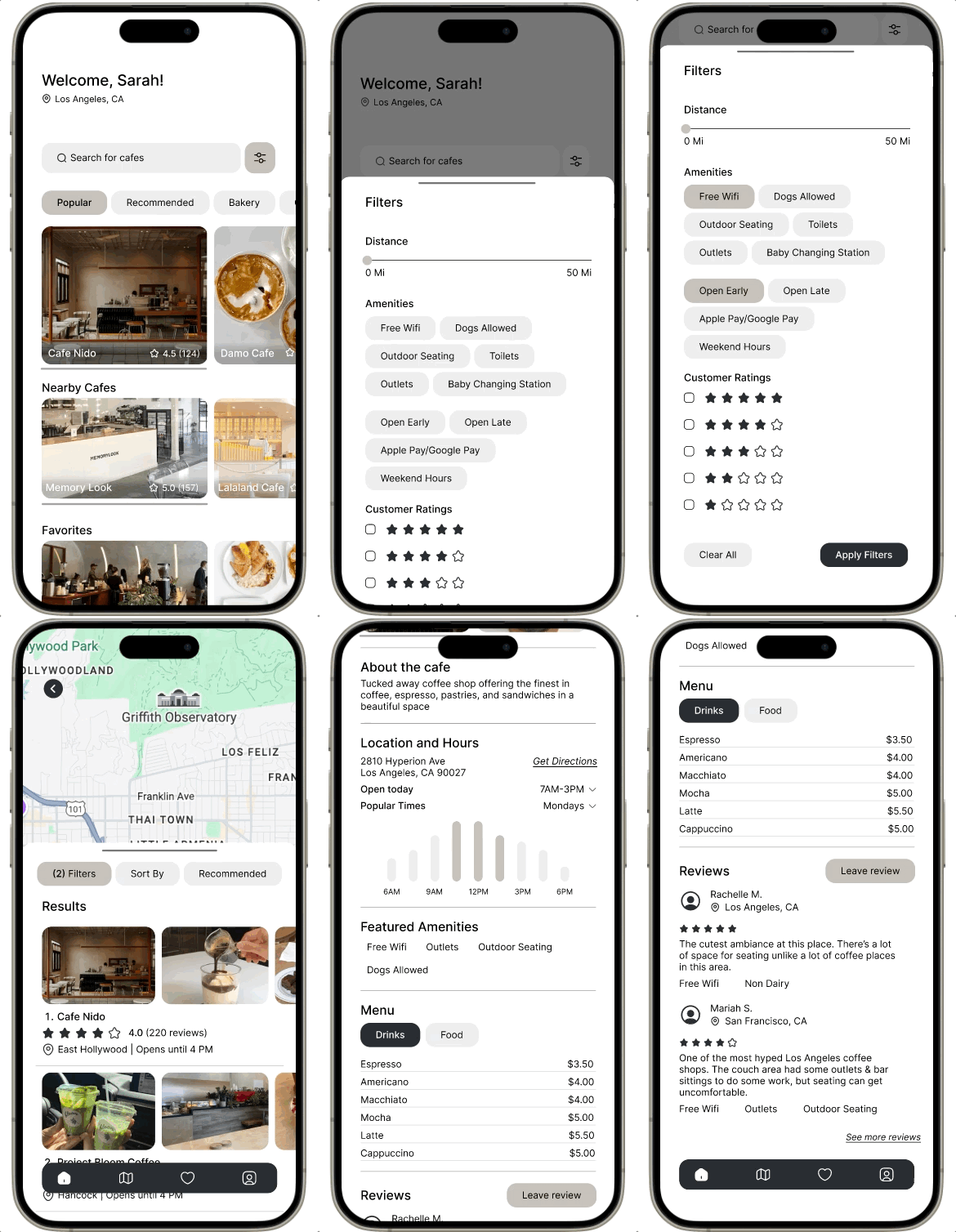
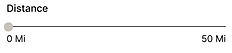
Static options didn't give enough control over distance. A scrollable slider would be more intuitive and precise for users
NO SPATIAL CONTEXT
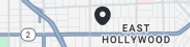
The home screen listed cafés but gave no sense of where they were. For a location-based app, a map felt essential to the core experience.
VISUAL HIERARCHY
Some actions like 'Leaving a Review' didn't have enough visual weight. V2 needed clearer distinction between primary and secondary actions
Leave Review

13 - HIGH FIDELITY V2 WIREFRAMES
Redesigned with clarity
V2 applied everything learned from testing and reflection. The palette shifted to neutral and charcoal, a map view was added for spatial context, and key interactions were redesigned for clarity.


14 - PROTOTYPING
See it in action